
Container Package Cleanup
Find the cleanup settings
Section titled “Find the cleanup settings”-
Open the settings for the user or organization that owns the container packages.
- Organization packages: Open the organization, then go to Settings → Packages → Cleanup rules.
- Personal packages: Open your avatar menu, then go to Settings → Packages → Cleanup rules, or open your package settings directly.
-
Click Add cleanup rule to create a rule, or select an existing Container rule to edit it.
Cleanup rules apply to packages owned by that user or organization, including packages linked to repositories. See the Forgejo cleanup rules documentation for more details.
Retain release tags while removing other versions
Section titled “Retain release tags while removing other versions”A container package cleanup rule can remove temporary tags, such as commit hashes or branch names, while keeping tags based on semantic versions.
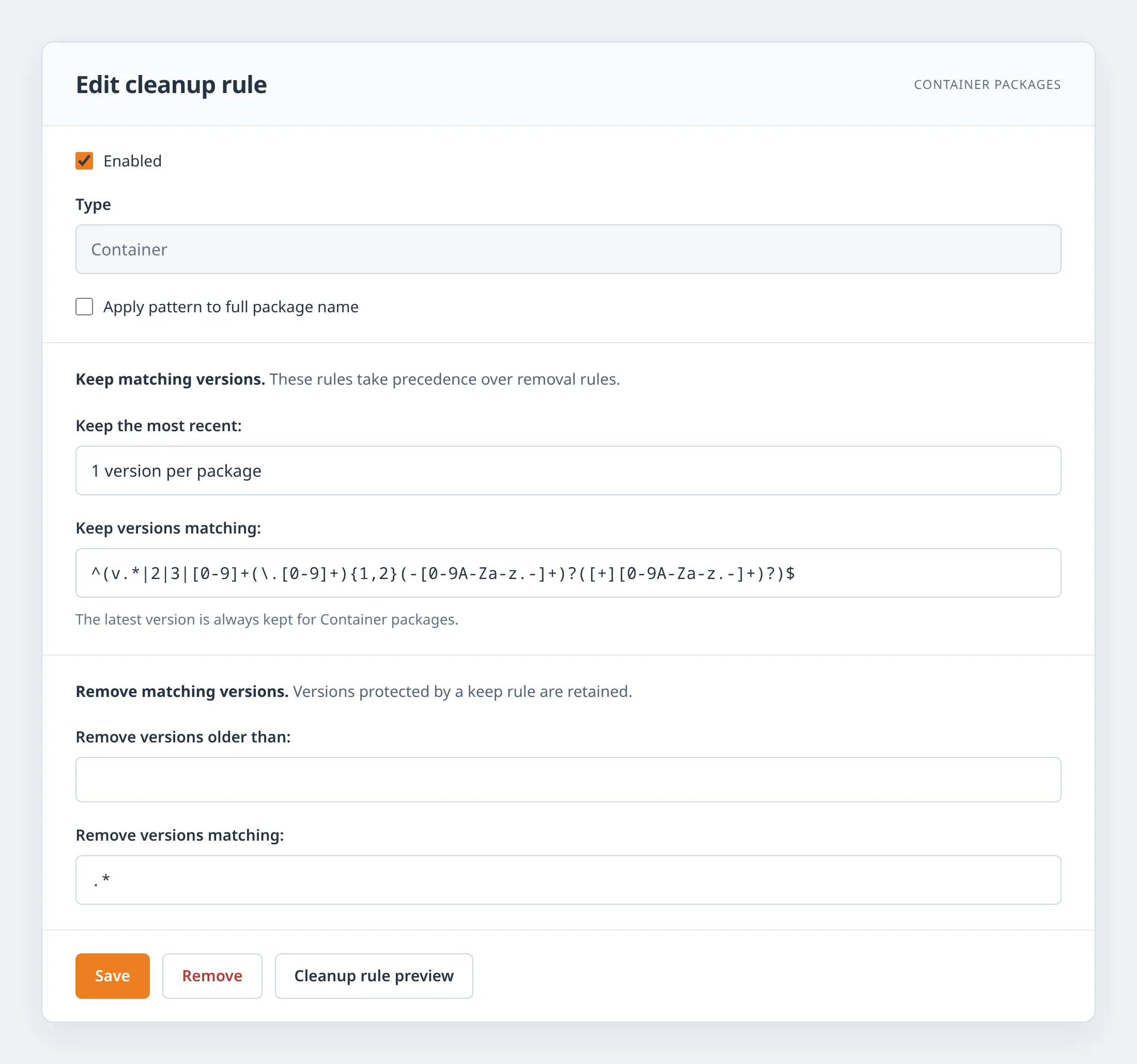
Illustration of the example configuration after enabling the rule; the appearance of the Forgejo form may differ.
For example, configure a cleanup rule with the following settings:
| Setting | Value |
|---|---|
| Enabled | Unchecked until after saving and reviewing the preview |
| Type | Container |
| Apply pattern to full package name | Unchecked |
| Keep the most recent | 1 version per package |
| Keep versions matching | Use the expression below |
| Remove versions older than | Leave empty |
| Remove versions matching | .* |
Enter this regular expression in Keep versions matching:
This keeps tags such as 1.2, 1.2.3, and 1.2.3-rc.1, along with all tags starting with v and the bare major-version tags 2 and 3.
Adjust the 2|3 alternatives to match the major-version tags you publish.
The pattern is deliberately broader than strict SemVer: v.* also retains tags such as v-next.
Keep rules take precedence over removal rules, so .* removes only versions that are not protected by a keep rule.
The most recent version per package is retained, and the latest tag is always kept for Container packages.